What goes in a security overview document for customers
A security overview (or security whitepaper, or trust page) answers a buyer’s first questions: what goes in, what stays private, and how to keep it true.
OrderFive custom security policies, $85 flat. Markdown, Word, and PDF.
Order the five policies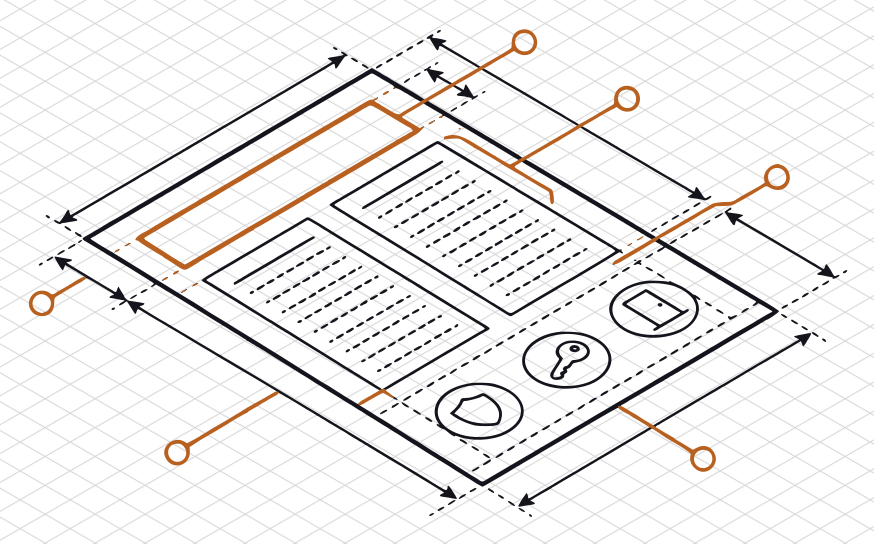
A prospect’s security team writes: “Do you have a security page, or something you can send us?” Or a sales call ends with “send over your security documentation.” What they usually want first is a short document that says, in plain words, how you protect their data. It goes by several names: a security overview, a security whitepaper, a trust page, a trust center.
This guide covers what goes in one, what to leave out, what to publish and what to send only on request, and how to keep it true. One limit first: an overview is your own description of yourself. It is not a SOC 2 report, a completed questionnaire, or anyone’s verdict on your security, and whether it is enough for now is your customer’s decision. This is general information, not legal advice.
What a security overview is for
Before a company signs a supplier, it checks the supplier out. NIST’s Cybersecurity Framework 2.0, a public framework from the U.S. National Institute of Standards and Technology, calls this “planning and due diligence” before entering into a supplier relationship (GV.SC-06), and has the customer write its security requirements “into contracts and other types of agreements” (GV.SC-05). Your customer may not follow that framework, but the job is the same: find out enough about you to decide what to ask next.
A good overview does three things:
- It answers the first round. Where you host, how people sign in, how data is encrypted, what happens in an incident. The reviewer reads it in ten minutes and sends fewer, sharper questions.
- It keeps your answers consistent. Sales, support, and whoever fills in the next questionnaire work from the same approved facts.
- It shows what you have, honestly. Including what you don’t have yet. A reviewer trusts a document that names its gaps more than one that has none.
It can be a PDF you send, a page on your site, or a trust center built with a vendor’s tool. The content is the same in all three, and so is our advice: write the document first. A page is the document published. A trust center is a choice of tool, not a requirement. We sell no such tool, so weigh what we say here with that in mind.
What goes in
Two or three pages is enough for a small company. This is the outline we would use, in this order. Each section ends with an example line, written for a fictional company, to show the level of detail: specific enough to be checked, general enough to be safe to share.
- What this covers. The product or service, the date, a version number, and who approved it. “This overview covers the Acme Scheduling web app and API. Version 3, approved by our CTO on 1 October.”
- Hosting. Your cloud provider, the regions customer data lives in, and whether customers share infrastructure. “We run on one major cloud provider, in two U.S. regions. Customer data is kept apart by account in a shared database.”
- Customer data. What you hold, how it is encrypted in transit and in storage, how long you keep it, and how a customer gets it deleted. “Data is encrypted in transit with TLS and at rest with the provider’s managed keys. We delete a customer’s data within 30 days of the end of their contract.”
- Access. How your own people sign in, who can reach production, and how access is granted, reviewed, and removed. “Staff sign in through single sign-on with multi-factor authentication. Two engineers have production access, reviewed each quarter.”
- How changes ship. Code review, how a change reaches production, and how you keep dependencies up to date.
- Logging and monitoring. What you log, how long you keep it, and who sees an alert.
- Backups and recovery. What is backed up, how often, and when you last tested a restore. “Databases are backed up daily and kept for 14 days. We last restored from backup in August.”
- Incidents. That you have a written plan, who leads it, and when and how you tell an affected customer. Promise only the notice your contracts and your plan support.
- Your own vendors. Which of them touch customer data, or where to find that list.
- People. Security training, background checks if you do them, and the steps when someone joins or leaves.
- Policies. The written policies you have, approved and in effect, each with its last review date, and that they are available on request. Our guide to the first five security policies says which to write first.
- Reports and tests. Any SOC 2 report or penetration test you have, with its date and how to request it. If you don’t have one, say so in one line. “We do not have a SOC 2 report.”
- Security contact. One address for security questions and vulnerability reports, and who reads it.
This list follows much of the ground a vendor questionnaire covers, on purpose. Our guide to SIG Lite and CAIQ-Lite describes what those ask, and an overview written in the same order makes the questionnaire faster when it comes.
What to leave out
- Anything that isn’t true today. “We encrypt all data” has to hold for every system, including the analytics export and the support tool. If a control is planned, leave it out, or label it as planned with an owner and a date. Our guide to answering when a control is missing shows how to phrase that.
- Words that claim a verdict. “Compliant,” “certified,” “bank-grade,” “military-grade encryption,” “fully secure.” Nobody has checked them, and a reviewer reads them as a sign that nothing else in the document was checked either. “SOC 2 compliant” without a report is the most common, and the most costly.
- Detail that helps an attacker more than a customer. Internal hostnames, IP ranges, network diagrams, exact software versions, the names of individual admins. A customer needs to know that production access is limited and reviewed, not who holds it. Deeper detail goes in a questionnaire, under a confidentiality agreement if the customer offers one.
- Someone else’s words. A paragraph lifted from a large company’s trust page, or a whitepaper template, describes controls you may not run. Search for “security whitepaper template” and most of what comes back is page layouts. The layout is the easy part.
What to publish, and what to send on request
No rule decides this. This is how we would split it.
Public, on your site:
- The overview itself, or a page with the same content.
- Your security contact.
- A
security.txtfile. RFC 9116, an informational RFC published in April 2022, defines it “to help organizations describe their vulnerability disclosure practices.” It sits under the/.well-known/path of your site. Two of its fields “MUST always be present”: a Contact, and an Expires date, which the RFC recommends be “less than a year into the future.” That date doubles as a reminder to check the rest.
On request, often under a confidentiality agreement:
- Your policies.
- A penetration test summary.
- A SOC 2 report, if you have one. Its use is “generally” restricted. The AICPA describes the SOC 3 report, which covers the same areas in less detail, as one that “can be freely distributed.”
- Completed questionnaires.
A public overview should still make sense to a reader who never gets the rest. If every section says “available on request,” it isn’t an overview yet.
Keep it true
An overview is a promise you make in writing, and it goes stale quietly. What keeps it current:
- One owner and a date. The version and the approval date go on the first line, so a reader can tell how old it is.
- Triggers, not only a calendar. Review it when something it describes changes: a new cloud region, a new vendor that touches customer data, a change to how people sign in, a new policy. Otherwise, we would read it through at least once a year.
- One set of facts. Keep a fact sheet, one line per fact with who confirmed it, and write the overview and every questionnaire answer from it. When a fact changes, both change.
- The person who runs it checks it. Before you approve a new version, the owner of each system reads their line.
A sensible order for this week
- List the facts above, one line each, and ask the person who runs each system to confirm theirs.
- Write the overview from the list, in the order above.
- Take out every sentence nobody could confirm, and every verdict word.
- Approve it, date it, and give it an owner.
- Decide what is public and what is on request, then publish the public part and a
security.txtfile.
If you would rather hand off the writing
Blank Slate Creative, LLC does readiness and documentation only. We never audit or attest. This guide draws on public standards and our own judgment, not client work.
We don’t sell a security overview as a product. We write the documents an overview summarizes:
- The five core policies, tailored to your stack. Information Security, Access Control, Incident Response, Acceptable Use, and Data Classification: the “policies” line of your overview, for a flat $85. Order the five policies, $85.
- Your vendor security questionnaire, answered. SIG Lite, CAIQ-Lite, or the customer’s own, up to 125 questions, for a flat $85. Order the questionnaire, $85.
- Something broader, by quote. A SOC 2 gap analysis, a control matrix, or a policy set beyond the five. Tell us what you need.
- A person reads your documents. Each custom policy set and questionnaire is read before it is sent to you. We can’t promise that a customer will accept them, or how a review will go.
- See it first. The home page has two full sample policies, written for a fictional company. We have no client work to show yet, and would rather say so.
Sources
All read on 2026-10-06.
- NIST, The NIST Cybersecurity Framework (CSF) 2.0 (NIST CSWP 29, February 26, 2024), Govern function, subcategories GV.SC-05 and GV.SC-06.
- E. Foudil and Y. Shafranovich, RFC 9116: A File Format to Aid in Security Vulnerability Disclosure (Informational, April 2022), the abstract and sections 2.5.3, 2.5.5, and 3.
- AICPA & CIMA, SOC 3 (SOC 3 as a general-use report).
- James C. Bourke, Explaining the 3 faces of SOC, Journal of Accountancy, June 2016 (SOC 2 use “generally” restricted).